Build and Conquer Auto Farm & Auto Build Scripts
Feature-by-feature breakdown of community automation for Build and Conquer V0.2.
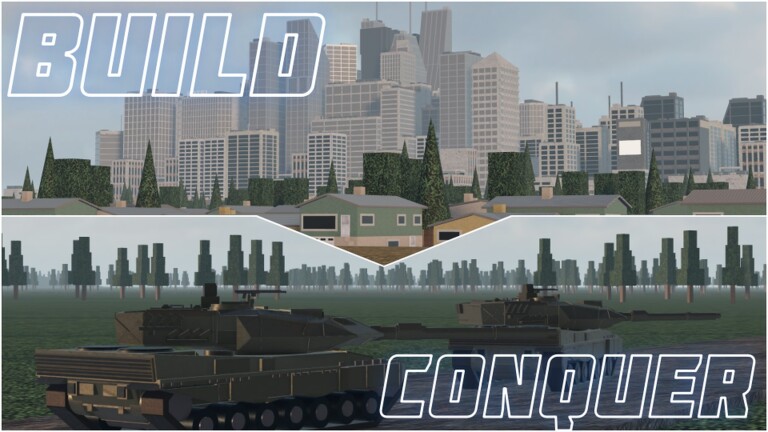
Auto-farm style scripts are the most requested community tools for Build and Conquer, The Slop Company鈥檚 Roblox strategy beta. The fantasy is simple: grow a plot city to population gates, keep mines and shops upgraded, repair after raids, research tech, recruit armies, and contest mainland zones without clicking every button. This page documents the feature set those scripts commonly expose, how each toggle maps to real progression (city level 2 at 250 population, city level 5 at 2,500, missile hit quests at 5 / 12 / 25 / 100 / 1,500), and how to avoid economy soft-locks. It does not ship working URLs. Loaders usually look like loadstring(game:HttpGet("YOUR_SCRIPT_URL_HERE"))() and open with RightShift. Read How to Execute Scripts first, then return here for feature detail. Reminder: automation can ban accounts, break saves, and stop working after every beta patch鈥攗se at your own risk and never share your login.
Auto Build and Auto Expand
Auto Build places foundational structures on free plot tiles according to a priority list the script author chose鈥攐ften housing first, then basic utilities, then shops. Auto Expand pushes the buildable footprint outward so later housing waves have room. Together they chase the early 250 population spike for city level 2. They are not architects: roads may look ugly, and fire stations might lag behind shops. Pause Expand when you are about to place specialty industry or research buildings you care about visually. Pair these toggles with the housing math on the City Planner so you know how many homes you still need for 2,500 population at city level 5.
If Auto Build spams the wrong category, disable it and place S-tier buildings manually using the Buildings Tier List. Scripts rarely understand meta shifts after patches.
Auto Upgrade (mines, shops, utilities)
Upgrade loops keep resource nodes and commercial buildings climbing tiers. Mines feed steel and raw materials; shops convert foot traffic into cash; utilities stabilize power and services so population caps do not stall. Good scripts let you whitelist building types鈥攗pgrade mines every cycle, shops every other cycle, skip vanity props. Bad scripts upgrade everything equally and bankrupt you before factories come online. Watch the economy dashboard (if present) for cash cliffs. When steel export systems from the V0.1 lineage are live in V0.2, confirm Auto Upgrade is not fighting manual export choices.
Auto Repair and Auto Industry
Mainland fights and missile hits damage structures. Auto Repair spends cash or materials to restore HP so population and production recover. Enable it when you expect raids; disable it on peaceful plot polishing sessions so you can bank currency. Auto Industry focuses production buildings鈥攆actories, workshops, and related chains鈥攕o throughput keeps pace with recruit queues. Industry automation pairs naturally with Auto Produce. If your Players Hub goals emphasize armor and HIMARS, keep industry ahead of pure housing once city level 2 is secured.
Auto Sell resources
Surplus wood, ore, or steel sitting unused should convert to cash鈥攂ut selling the last steel before a repair wave is catastrophic. Prefer scripts with minimum reserve sliders. Set reserves high enough to cover one full repair cycle plus one research purchase. Cross-check current resource sinks in the Updates Hub whenever The Slop Company retunes export rules. As of November 2026 no promo codes offset bad sells鈥攕ee Codes.
Auto Research
Research unlocks better units, defenses, and quality-of-life nodes. Auto Research walks a predefined path. After the missile rework and drone additions documented in Update V0.1, research trees may include air and precision branches that older scripts ignore or buy out of order. Periodically open the research UI yourself. If the script purchases dead-end nodes, turn Auto Research off and follow manual priorities from the Tier List Hub.
Auto Produce, Auto Recruit, Auto Deploy
Auto Produce queues factory outputs (shells, parts, drone frames). Auto Recruit spends cash and population overhead on infantry, vehicle crews, or operators. Auto Deploy shoves finished units toward mainland capture points or defensive lines. Used together they create a continuous front-line faucet鈥攚hich is excellent for hit-quest grinding toward SRBM (5 hits), GLCM (12), MRBM (25), Hypersonic (100), and Cluster (1,500), and terrible if you deploy into losing fights. Keep Deploy manual while learning zone rotation; use Zone ESP to see contested points, then deploy deliberately. Unit quality guidance lives on Units & Missiles and the Units & Missiles Tier List.
Missile batteries themselves are usually left manual in better scripts because misfires waste rare munitions. Do not enable any 鈥渁uto nuke鈥?style toggle unless you have verified it respects ammo counts and friendly plot safety.
Zone ESP, teleports, and economy dashboards
Zone ESP outlines capture points, enemy presence, or claim ownership on the mainland. It does not aim your weapons; it only reduces scouting time in eight-player servers. Teleports hop between plot and battlefield pads鈥攗seful after repairing, dangerous if you teleport into artillery. Economy dashboards surface cash, steel, population, city level, and sometimes estimated time to the next housing milestone. Use the dashboard as a truth panel while other toggles run; if numbers spike or crash unexpectedly, disable farms immediately.
Suggested enable order for a fresh plot
- Economy dashboard + Zone ESP (information only).
- Auto Repair (if under threat) or skip.
- Auto Build / Expand until population approaches 250.
- Auto Upgrade on mines, then shops.
- Auto Industry + Auto Sell with conservative reserves.
- Auto Research once cash is stable.
- Auto Produce 鈫?Recruit, with Deploy still manual.
- Revisit Deploy only after you understand mainland timing and missile hit quests.
This order mirrors the natural loop taught in Getting Started while still letting automation handle chores.
When to turn everything off
- Client shows a new version string or unfamiliar UI after joining.
- Research names, missile panel, or drone hangar labels changed.
- Cash or steel drops faster than the dashboard can explain.
- You are about to place a carefully planned late-game district.
- You intend to unlock a missile tier and need accurate hit tracking.
- Another player reports ban waves鈥攑ause on your main account.
Return to the Scripts Hub for policy-level warnings, and refresh executor habits on How to Execute after each patch.
Manual play still wins mid fights
Automation shines on repetitive upgrades. Contested mainland plays, hypersonic timing, and cluster saturation still reward human decisions. Use scripts to keep the city fed, then take the stick for wars. Combine that hybrid approach with official links on the Links Hub so you always launch the correct Build and Conquer place by The Slop Company鈥攏ot a lookalike experience.
Community scripts remain unofficial, unsupported, and fragile. Describe your needs clearly when seeking help (which toggles break, which city level you are on) without pasting account credentials. If a feature list in a Discord promo promises 鈥渦ndetectable god mode,鈥?walk away鈥擝uild and Conquer鈥檚 small servers and visible economy make outrageous claims unlikely. Stay skeptical, keep reserves, and let the wiki鈥檚 tier lists and planners guide what the bots are allowed to buy.
Frequently Asked Questions
Quick answers to the most common questions.
Which auto toggles should I enable first?
Start with dashboard and ESP, then Auto Build/Expand toward 250 population, then upgrades and industry. Leave Auto Deploy manual until you understand mainland fights.
Can auto-farm finish missile hit quests for me?
Recruit and Deploy loops can help generate combat activity, but missile launches and careful hit tracking are safer done manually鈥攅specially for Hypersonic and Cluster thresholds.
Why did Auto Sell empty my steel?
Many scripts lack reserve floors or use outdated export logic after V0.1/V0.2 changes. Set minimum reserves or disable Auto Sell and sell manually.
Do these scripts include a working loadstring URL?
This wiki only documents features and may show a placeholder loadstring. Paste URLs only from channels you trust; we do not host or invent working script endpoints.
Will auto-build respect the buildings tier list?
Usually not perfectly. Pause Auto Build when you need S-tier placements and follow the Buildings Tier List plus City Planner math.