Build and Conquer Controls
Placement, teleport, and mainland troop orders without misclicks.
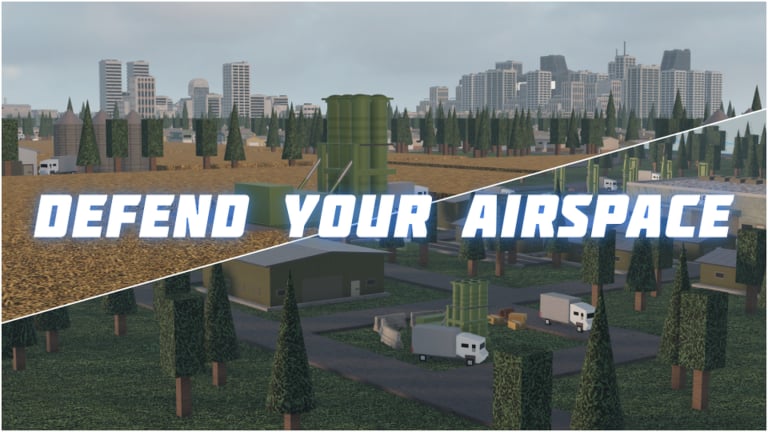
Mastering Build and Conquer controls saves more progress than any fake code list. The beta HUD can feel busy on an empty plot, and mainland combat adds a second control mode on top of city building. This page is the practical reference: how to place structures, how to jump your avatar across the plot, and how to order troops once tunnels open.
Pair this with Getting Started for build order and How to Play for the full loop. If cash is the real problem, jump to Make Money Fast after you stop misplacing shops.
Primary controls table
| Input | Context | Action |
|---|---|---|
| Hold left-click + drag | Build mode | Place buildings / roads along the drag path |
| E | On your plot | Teleport / relocate your character quickly |
| Right-click | Mainland troops | Issue move / attack-move style orders to units |
| Camera pan / zoom | Always | Standard Roblox camera — learn your preferred angle before dense builds |
| UI buttons | Menus | Open build categories, research, and military panels |
Roblox also uses its usual movement keys for walking the avatar when you are not teleporting. In busy industrial blocks, E is usually faster than pathing around unfinished roads.
Placement — hold left-click drag
Build and Conquer expects you to hold left-click and drag to lay segments rather than single-click every tile. That matters for:
- Roads — drag continuous corridors; release to finish a segment
- Housing rows — keep lines straight so utilities can cover them
- Walls or defense lines — fewer gaps when you drag deliberately
Tips that prevent expensive mistakes:
- Angle the camera high enough to see grid alignment before you commit.
- Start drags from existing roads so new segments connect cleanly.
- Leave utility corridors — power and water need paths even if the game is forgiving in beta.
- Do not fill every cell on day one; factories and research offices need footprints later.
- If a ghost preview looks wrong, cancel and re-drag instead of correcting with messy overlaps.
When population planning matters (city level 2 ≈ 250 pop), clean grids make densification easier — see City Levels.
Teleport with E
Press E to teleport your character. Use it when:
- You placed a shop on the far side of the plot and need to inspect throughput
- You are tracing a blackout and must bounce between generators and dark blocks
- You are lining up a future tunnel entrance and want a ground-level look
Teleport is a quality-of-life tool, not a combat dash. On the mainland, focus on unit orders, not avatar tourism, once fighting starts.
Mainland troop orders — right-click
After you dig toward the mainland (Mainland Warfare), select troops and right-click to move them. Practical habits:
- Move in groups — isolated soldiers feed enemy guns
- Staging areas — pause near the tunnel exit before committing to a strategic zone
- Do not right-click spam into obvious killboxes; wait for your guns, drones, or HIMARS support
- Combine ground pushes with missile timing from the Missile Guide
If units ignore orders, check selection, terrain blockers, or beta desync — rejoin the (max eight player) server if commands soft-lock.
Build UI navigation habits
While exact menu labels can shift in V0.2 patches, the workflow stays stable:
- Open the build / construction category list.
- Choose roads, housing, utilities, commercial, industry, defense, or research.
- Confirm cost and requirements before dragging.
- Watch population, cash, power, and water readouts after each major placement wave.
Research offices unlock military branches; large missile projects often need higher city level. Knowing the control flow matters less if you bankrupt the city — keep Make Money Fast nearby.
Camera and performance tips
- Zoom out for road planning; zoom in for defense gaps.
- On lower-end devices, reduce cluttered camera spins during eight-player fights.
- Avoid placing yourself inside unfinished geometry; teleport out with E if stuck.
- Screenshot confusing UI bugs for your own notes — beta tooltips sometimes lag behind real unlocks.
Controls linked to progression goals
| Goal | Control focus | Related guide |
|---|---|---|
| First-hour city | Accurate left-click drags | Getting Started |
| Income | Precise shop/supermarket placement | Make Money Fast |
| City level push | Dense housing without blocking utilities | City Levels |
| Hit quests | Mainland right-click + missile UI | Missile Guide |
| Hold zones | Troop moves + AD placement drags | Mainland Warfare |
Common control mistakes
- Clicking instead of holding — short taps create fragmented roads
- Forgetting E — wasting minutes walking the plot
- Right-clicking with nothing selected — no-op confusion in combat
- Building during camera tween — misaligned factories
- Opening tunnels before practicing orders — first mainland army walks into guns
Accessibility and comfort
If holding left-click strains your hand, take breaks between drag sessions — city builders reward short, accurate placements over marathon misclicks. Remap only through Roblox’s own settings if available; do not install third-party “control macros” from random links. For scripts risk context see Scripts, but legitimate play only needs the bindings on this page.
Quick reference card
Build: hold left-click, drag, release.
Move avatar fast: press E.
Move army: select, then right-click destination on mainland.
Recover from soft lock: rejoin server, verify selection, check utilities.
Never rely on: promo codes — none confirmed on Codes.
Learn these three inputs cold, then spend brainpower on economy and research decisions. Controls will not win a strategic area alone, but bad controls will lose one you already paid for. Return to the Guides Hub when you need the next systems deep dive.
Frequently Asked Questions
Quick answers to the most common questions.
How do I place buildings in Build and Conquer?
Hold left-click and drag to place roads and buildings. Check the ghost preview before releasing to avoid messy grids.
What does the E key do?
E teleports your character across the plot so you can inspect builds and utilities without long walks.
How do I move troops on the mainland?
Select your units, then right-click the destination. Stage near tunnel exits before charging strategic areas.
Why are my placement drags so messy?
Raise the camera, start from existing roads, and drag in shorter segments. Cancel bad ghosts instead of overlapping fixes.
Do I need special software for controls?
No. Use the default Roblox client bindings described here. Avoid third-party macros; they risk your account and are unnecessary.