Build and Conquer How to Execute Scripts
General executor workflow and safety habits for Build and Conquer beta automation.
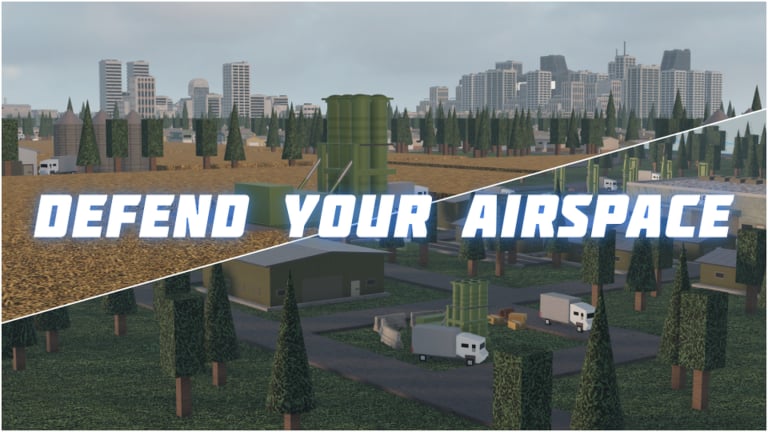
This page explains how players typically run community Lua scripts inside Roblox experiences such as Build and Conquer. It is educational documentation for a strategy beta published by The Slop Company鈥攏ot an endorsement of cheating. Injected scripts can violate Roblox Terms of Use, get accounts banned, and break city saves. If you only want legitimate progression, stick to the Getting Started guide, the Missile Guide, and the City Planner. If you still choose to experiment, treat every step below as risk management.
What an executor actually does
A script executor is a separate Windows program that attaches to the Roblox client and lets you run Lua that the game did not ship. After attach succeeds, you paste code鈥攐ften a one-line loader shaped like loadstring(game:HttpGet("YOUR_SCRIPT_URL_HERE"))()鈥攁nd press Execute. The script then draws an in-game GUI. In Build and Conquer communities that GUI frequently opens with RightShift and lists Auto Build, Auto Expand, Auto Upgrade, Auto Repair, Auto Industry, Auto Sell, Auto Research, Auto Produce, Auto Recruit, Auto Deploy, Zone ESP, teleports, and economy panels. Your job is to inject cleanly, enable features slowly, and stop the moment the beta UI no longer matches the script.
Executors are not part of Roblox Studio and are not sold by The Slop Company. Download sources change constantly; this wiki will not recommend a brand, mirror, or Discord invite. Prefer tools you already trust from other titles, verify digital signatures when available, and scan installers. Avoid 鈥渇ree executor鈥?ads that demand Discord login tokens or Roblox cookies.
Pre-flight checklist before you join
- Confirm the place ID and creator. Build and Conquer鈥檚 live place is linked from the Links Hub. Similarly named strategy games exist鈥攚rong place means wasted inject and possible malware scripts aimed at different APIs.
- Update Windows, GPU drivers, and your antivirus definitions. Quarantine false positives carefully; some injectors trip heuristics even when intact.
- Close other overlays (conflicting injectors, shady FPS boosters, cookie stealers disguised as 鈥淩oblox multi-instance鈥?.
- Prefer an alt account for first tests. City layouts, missile hit progress, and cash stockpiles on a main are painful to lose.
- Screenshot your plot and note city level, population, and unlocked missiles (SRBM / GLCM / MRBM / Hypersonic / Cluster via hit quests). You will want a baseline if Auto Expand rearranges buildings.
- Read the latest notes on the Updates Hub. After V0.1 content (level 5 cities, drones, steel export, missile rework) the client already shows V0.2鈥攕cripts written for older builds may misfire.
Join order and injection timing
Launch Roblox normally from the official game page, enter a server (max eight players), and wait until your empty plot or city HUD fully loads. Injecting during the teleport fade or before RemoteEvents exist is a common reason menus never appear. Once the plot camera is responsive and resource counters tick, attach the executor, paste your loader or full script, and execute once. Do not spam Execute; duplicate GUIs fight each other and can double-sell resources.
If the menu key does nothing, check focus (click the Roblox window), try RightShift again, then fall back to whatever key the script author documented. Some builds use Insert or LeftControl. Open only the Features tab first鈥攊gnore theme or music tabs until core toggles work.
Enabling features without soft-locking your city
Start with read-only helpers: economy dashboard and Zone ESP. Confirm capture-point highlights make sense on the mainland map. Next enable Auto Repair if you are already taking damage, then a single economy toggle such as Auto Upgrade on mines. Watch steel and cash for two to three minutes. Only then consider Auto Build / Auto Expand for housing toward the 250 population city level 2 gate (and later 2,500 for level 5). Leave Auto Recruit and Auto Deploy off until you understand front-line costs; emptying cash before a missile defense wave is a classic failure mode.
Keep missile launches manual. Hit-quest thresholds (5 / 12 / 25 / 100 / 1,500) gate SRBM through Cluster unlocks; a buggy Auto Deploy that burns units without scoring hits wastes progress. Cross-check unit value on the Units & Missiles Tier List and building priority on the Buildings Tier List so automation spends on S-tier assets.
For a full feature map of farming stacks, open Auto Farm Scripts. For hub-level risk framing, return to the Scripts Hub.
After every game patch
Beta titles change remotes, GUI names, and research node IDs without long notice. When The Slop Company ships a client bump:
- Disable every script toggle and close the executor.
- Play one fully manual session to learn new buttons (steel export, drone hangars, missile panels, and so on).
- Update your script file or loader URL from the same trusted channel you originally used鈥攄o not grab random 鈥渇ixed鈥?pastebins from chat.
- Re-inject on an alt, enable ESP only, then reintroduce economy toggles one by one.
- If Auto Research buys wrong nodes or Auto Sell dumps the wrong resource, turn the script off permanently until authors catch up.
Stale scripts are more dangerous than no scripts. A broken Auto Industry loop can brick production buildings; a broken teleport can fling you off the map during a capture fight.
Account and device hygiene
Never share your password, backup codes, or .ROBLOSECURITY cookie with anyone offering 鈥渇ree private scripts.鈥?Never run unknown .exe files from random Drive folders. Prefer executing on a PC you control rather than school or library machines. If Roblox shows unusual login alerts after testing an executor, change your password and enable 2FA immediately. Remember that even 鈥渒eyless鈥?community scripts can still contain stealers; skim the Lua for suspicious webhook or cookie reads when the source is visible.
Also respect other players. Auto Deploy spam and ESP do not entitle you to harass lobbies. Servers are small (eight seats); toxic automation ruins the mainland fight the game is built around.
Troubleshooting quick reference
- Menu never opens: reinject after full plot load; click the game window; verify keybind.
- Features do nothing: game updated; script outdated; wrong experience.
- Cash vanishes: Auto Sell or Auto Recruit too aggressive鈥攄isable and buy housing manually via City Planner math.
- Client crashes: lower graphics, disable ESP plus teleports, update executor.
- Ban warning / moderation: stop scripting on that account; do not appeal by admitting injector use in ways that worsen the case.
Better alternatives when scripts break
Manual efficiency often closes the gap. Use the City Planner to schedule housing for 250 and 2,500 population, follow Players / Units to know what to recruit, and track Updates so you adopt new systems (drones, steel export, missile rework) before relying on bots. Check Codes occasionally in case The Slop Company adds promos later鈥攏one were confirmed as of November 2026.
Executing scripts is always optional. If any step feels unsafe, close the executor and play Build and Conquer as designed.
Frequently Asked Questions
Quick answers to the most common questions.
When should I inject the executor?
After your Build and Conquer plot or city HUD fully loads and resource counters are ticking鈥攏ot during the join teleport fade.
What key opens most script menus?
Community builds often use RightShift. Some use Insert or LeftControl. Check the script鈥檚 own keybind label if RightShift fails.
Should I update scripts after patches?
Yes. Disable toggles, play manually once, refresh the script from a trusted channel, then re-enable features one at a time on an alt.
Can scripts get my account banned?
Yes. Injected Lua can violate Roblox rules. Prefer alts, never share passwords or cookies, and accept that bans or save loss can happen.
Where do I learn the actual auto-farm toggles?
See the Auto Farm Scripts page on this wiki for Build and Conquer feature-by-feature guidance.