Build and Conquer Scripts Hub
Community automation features, risks, and safe habits for Build and Conquer beta.
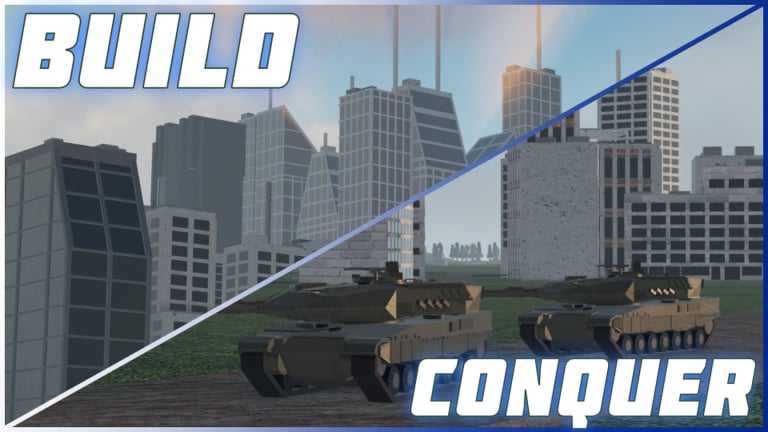
Build and Conquer is a Roblox strategy beta where you grow a private plot into a city, then contest the mainland with infantry, armor, drones, and missiles. Sessions cap at eight players, and progress hinges on population milestones鈥攃ity level 2 at 250 people and city level 5 at 2,500鈥攑lus hit-quest unlocks for SRBM, GLCM, MRBM, hypersonic, and cluster missiles. That loop creates heavy clicking: place housing, upgrade mines and shops, repair after raids, recruit, deploy, research, and sell surplus. Community scripts exist to automate those loops. This hub explains what those tools usually do, why they are risky in a live beta, and where to read deeper guides on this wiki.
What scripts usually automate
Popular Build and Conquer scripts cluster around economy and war chores rather than one-click win buttons. Typical menus (often opened with RightShift) expose toggles such as Auto Build, Auto Expand, Auto Upgrade for mines and shops, Auto Repair, Auto Industry, Auto Sell resources, Auto Research, Auto Produce, Auto Recruit, and Auto Deploy. Quality-of-life extras often include Zone ESP for capture points, teleports between plot and mainland, and simple economy dashboards that surface cash, steel, and production bottlenecks. None of these replace map sense or missile timing; they only reduce the grind described in the Getting Started guide and the Missile Guide.
Feature depth varies. Some builds only spam housing until you hit population targets. Others chain research trees, queue factories, and dump infantry on contested zones. ESP and teleport helpers help you see which mainland points are free without flying the whole map. Treat every feature list as a snapshot: The Slop Company鈥檚 V0.2 beta still changes APIs, and scripts break after patches more often than they stay perfect.
Risks you must accept
Roblox does not endorse third-party executors or injected Lua. Using them can violate Terms of Use, trigger bans, or corrupt local saves鈥攅specially painful in a beta where city layouts represent hours of placement. Scripts can also soft-lock your economy if Auto Sell dumps critical steel before a missile wave or if Auto Recruit empties cash right before you need repairs. Never share your Roblox password, never paste unknown Discord 鈥渓oaders,鈥?and never run a script you cannot read at least at a high level. Prefer alt accounts if you insist on testing automation. For promo status, check Codes鈥攁s of November 2026 no official promo codes are confirmed for this title.
Beta cadence makes maintenance mandatory. After each update (see the Updates Hub and V0.1 notes), disable every toggle, rejoin a fresh server, and only re-enable features that still match the live UI. Stale Auto Research paths can buy obsolete nodes; stale Auto Deploy can dump units into deleted spawn pads.
How to use an executor safely (overview)
High-level workflow only: install a reputable executor on a PC you control, keep Windows updated, close other injectors, join Build and Conquer from the official place page linked on the Links Hub, inject after the plot loads, then paste a community script or a placeholder loadstring such as loadstring(game:HttpGet("YOUR_SCRIPT_URL_HERE"))(). Open the in-game menu (commonly RightShift), enable one feature at a time, and watch cash, population, and unit queues for a few minutes before stacking more toggles. Full step-by-step safety notes live on How to Execute Scripts. Deep feature coverage for auto-build and farming stacks lives on Auto Farm Scripts.
Feature overview mapped to progression
Early plot play benefits most from Auto Build / Expand and housing-focused upgrades so you reach 250 population for city level 2 without misplacing every road. Mid game pairs Auto Upgrade on mines and shops with Auto Sell and Auto Industry so steel and cash keep pace with factories. Late game leans on Auto Research, Auto Produce, Auto Recruit, and Auto Deploy while you manually aim missiles unlocked via hit quests (5 / 12 / 25 / 100 / 1,500 hits for SRBM 鈫?GLCM 鈫?MRBM 鈫?Hypersonic 鈫?Cluster). Zone ESP helps you contest mainland points without blind flying. Cross-check building priority against the Buildings Tier List and unit value against Units & Missiles Tiers so automation invests in S-tier assets first. Population math for 250 and 2,500 targets is broken down in the City Planner.
How this wiki covers scripts
- How to Execute Scripts 鈥?executor hygiene, injection timing, post-patch checklist.
- Auto Farm Scripts 鈥?Auto Build through Auto Deploy feature deep dive for Build and Conquer.
Browse the Tier List Hub, Players Hub, and Tools Hub when you want meta context instead of automation. Official game and group links stay on the Links Hub so you avoid similarly named Roblox experiences.
Responsible use checklist
- Confirm you opened the correct place (Build and Conquer by The Slop Company).
- Back up screenshots of your city layout before heavy Auto Expand runs.
- Enable economy toggles before combat toggles.
- Keep missile launches manual until you understand hit-quest progress.
- Stop scripting the moment UI labels or research names change after a patch.
- Never trade accounts or share session cookies with 鈥渟cript helpers.鈥漒n Scripts are optional. Many players climb city levels and unlock missiles with pure manual play guided by this wiki鈥檚 guides and tier lists. If you do automate, treat every toggle as temporary beta tooling鈥攏ot a permanent entitlement.
Frequently Asked Questions
Quick answers to the most common questions.
Are Build and Conquer scripts allowed by Roblox?
No. Third-party executors and injected scripts can violate Roblox Terms of Use. Use them only at your own risk; bans and save loss are possible.
What features do community scripts usually include?
Common toggles include Auto Build, Expand, Upgrade, Repair, Industry, Sell, Research, Produce, Recruit, Deploy, plus Zone ESP, teleports, and economy dashboards. Menus often bind to RightShift.
Where should I start on this wiki?
Read How to Execute Scripts for safety, then Auto Farm Scripts for feature detail. Pair automation with Getting Started, Missile Guide, and the City Planner.
Do scripts survive every beta update?
Often no. V0.2 and future patches change APIs. Disable toggles after updates, verify UI labels, and refresh your script before farming again.